Walk your venue before you build it
Design the floor plan in 2D and walk it in a first-person 3D viewer before the load-in truck arrives. Manage speakers with a global record, and plan load-in and load-out day by day — no surprises on load-in day.
From 2D floor plan to first-person walkthrough
Design the venue with furniture, sales zones and rooms in a 2D editor with layers — and walk it in a first-person 3D viewer before event day, with a minimap, gyroscope control on mobile, and an Augmented Reality button. Multiple people edit the same plan at once, with global undo/redo like a shared document.
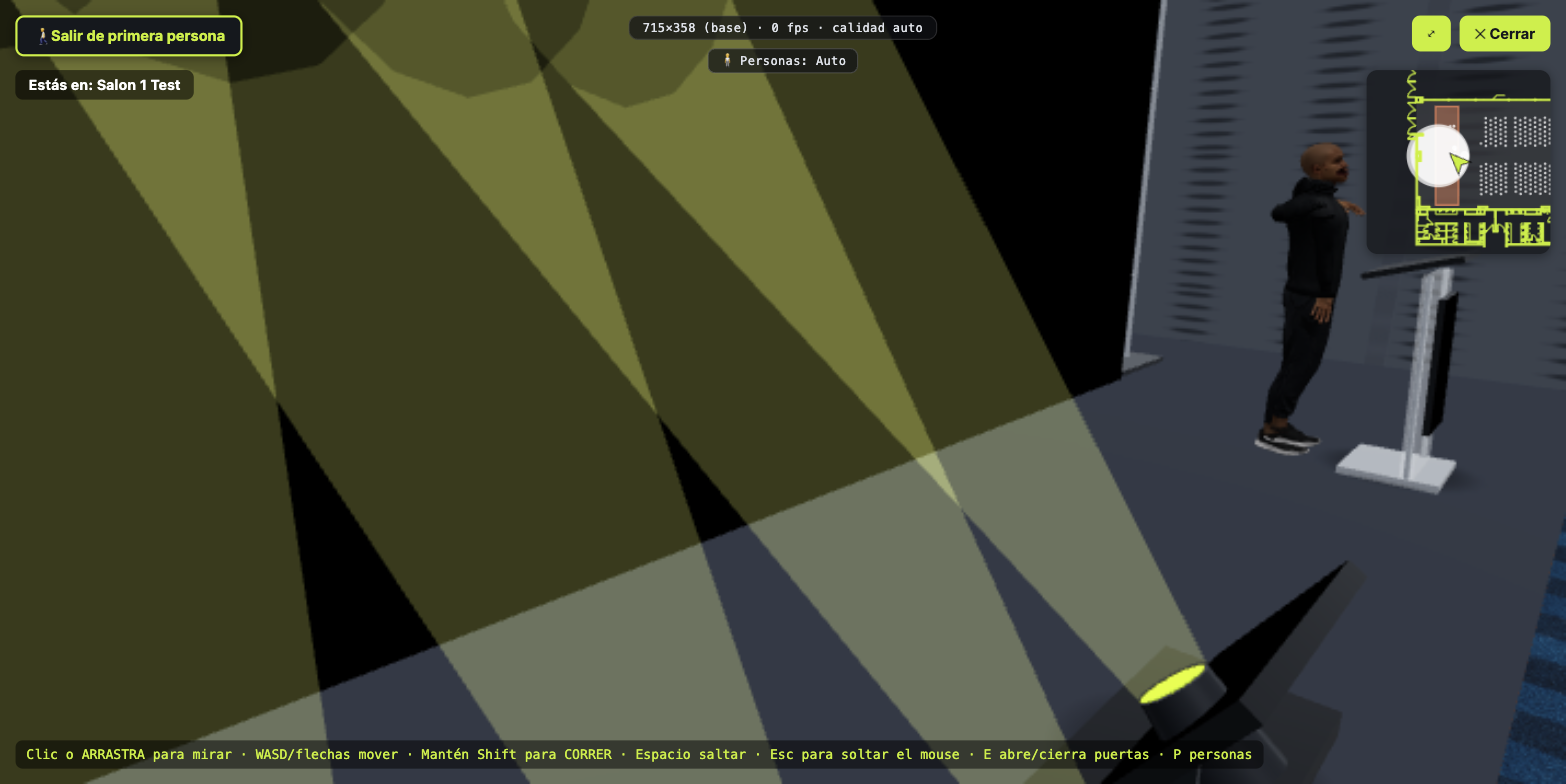
2D to design, 3D to present, first-person to walk it
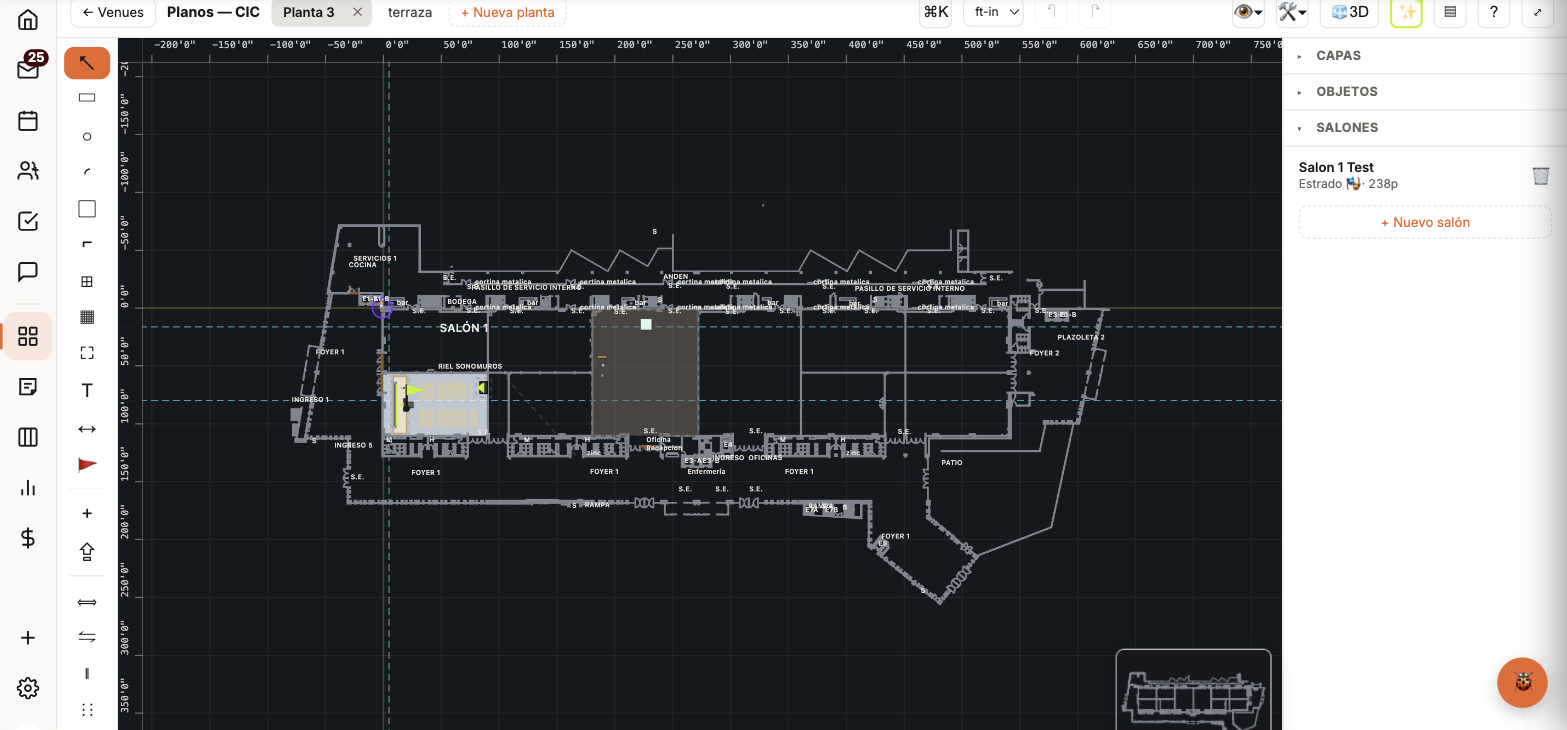
2D editor with layers
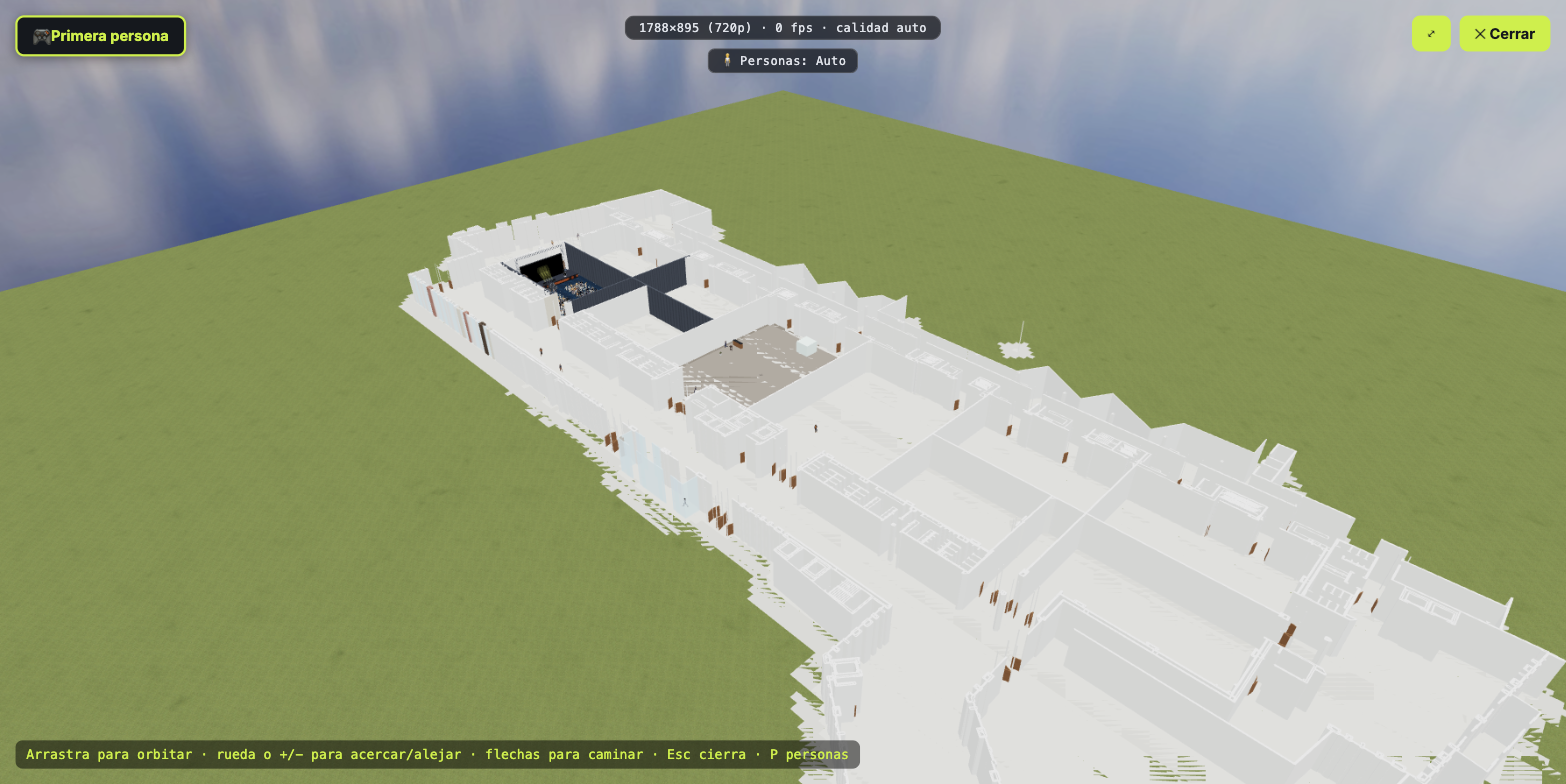
3D overview
First-person walkthrough
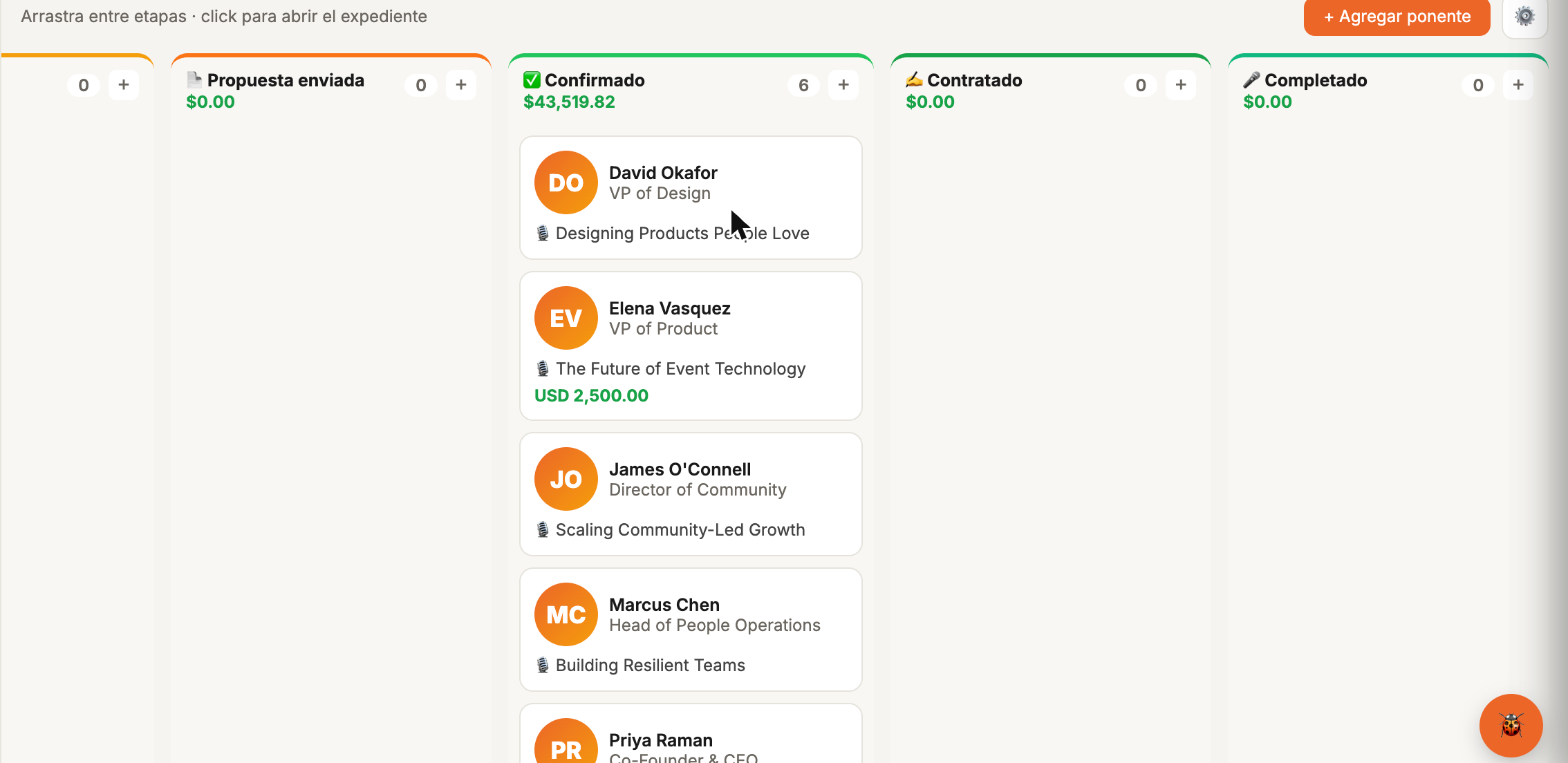
A global record, not a new row per event
Fee, technical rider, participation history and ratings live in a single record per speaker — reusable for any future event. The sourcing kanban follows the full pipeline, from "wanted" to "completed", and Larry can search and recommend speakers by describing what you need in plain language.
Setup, show and strike days — versioned separately
A real event isn't a single day: it has load-in days, the show, and load-out days, each with its own venue plan and constraints (loading hours, elevator capacity, access). Aluna versions each stage's plan separately, so load-in never overwrites the show's final design.
About production and venue
Does the 3D viewer work on mobile?
Yes — with gyroscope control to look around while walking the venue, and an Augmented Reality button.
Can several people edit the same plan at once?
Yes, real-time collaborative editing with global undo/redo, like a shared document.
Is a speaker's record shared across events?
Yes — the Speakers CRM is global: fee, technical rider, participation history and ratings live in a single record, not repeated for every new event.