Your event's agenda, contacts and notes — not in three different apps
A contacts CRM with a relationship graph, a Grid that detects schedule conflicts on its own, notes with real templates for every kind of meeting, and boards your team edits at the same time — all in the same place, with nothing exported to a spreadsheet.
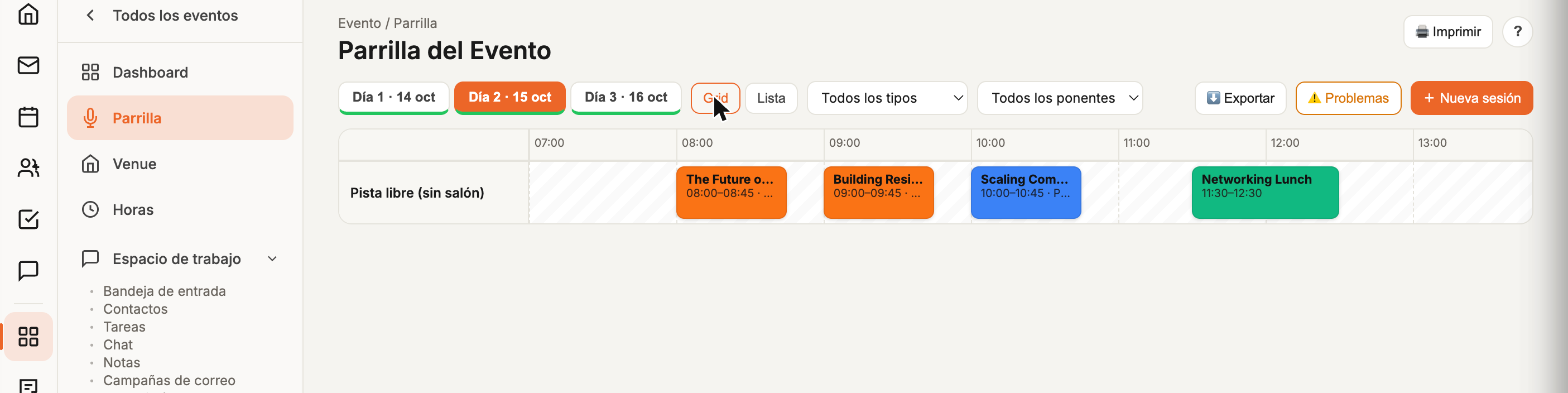
The agenda that catches its own conflicts
Drag sessions between rooms and time slots in a real calendar view — the Grid flags any speaker or room conflict in red before it reaches event day. Grid view for planning, List view for exporting and printing, filter by session type or speaker.
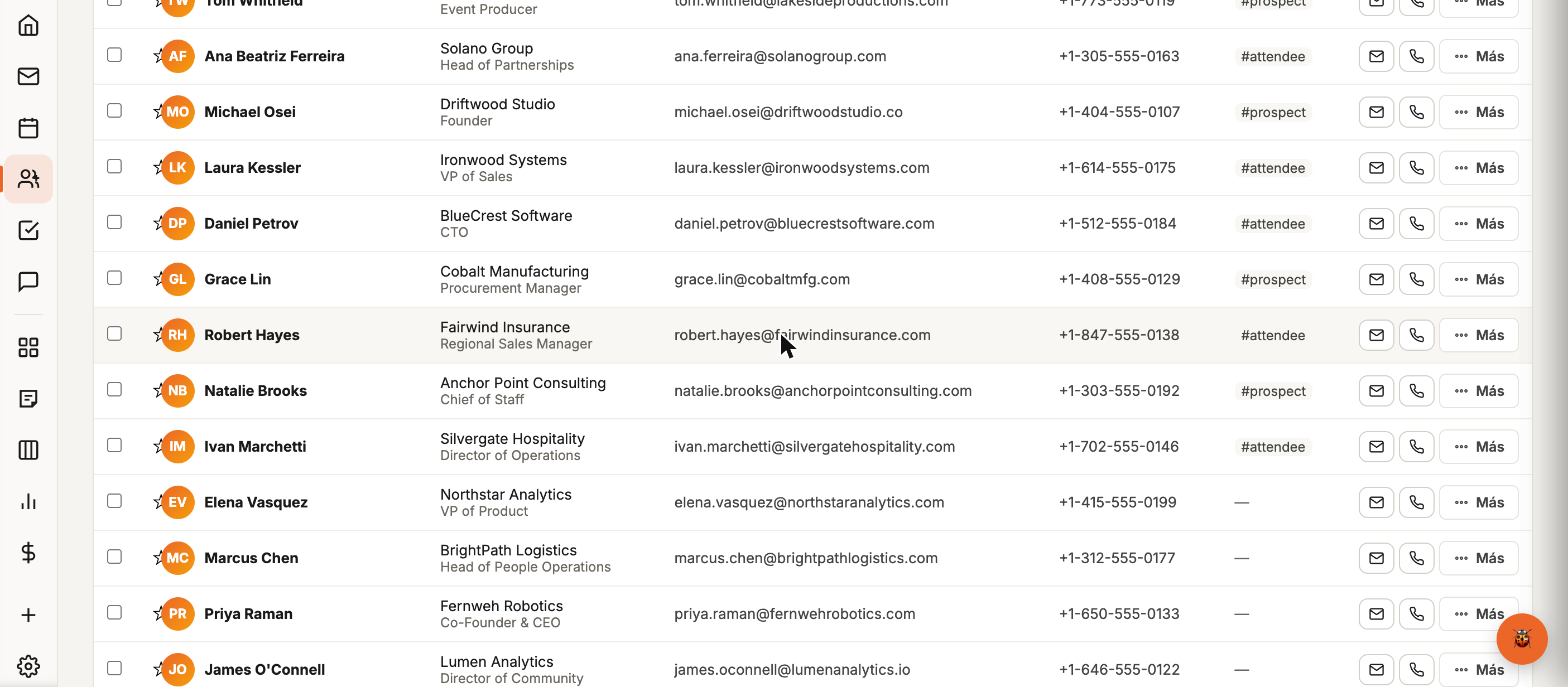
A CRM, not a mailing list
Speakers, sponsors, vendors and attendees live in the same relationship graph — with degrees of separation, org charts, location maps and semantic search ("who worked in fintech in Austin"). Two-way sync with Microsoft 365 or Google, no manual contact duplication.
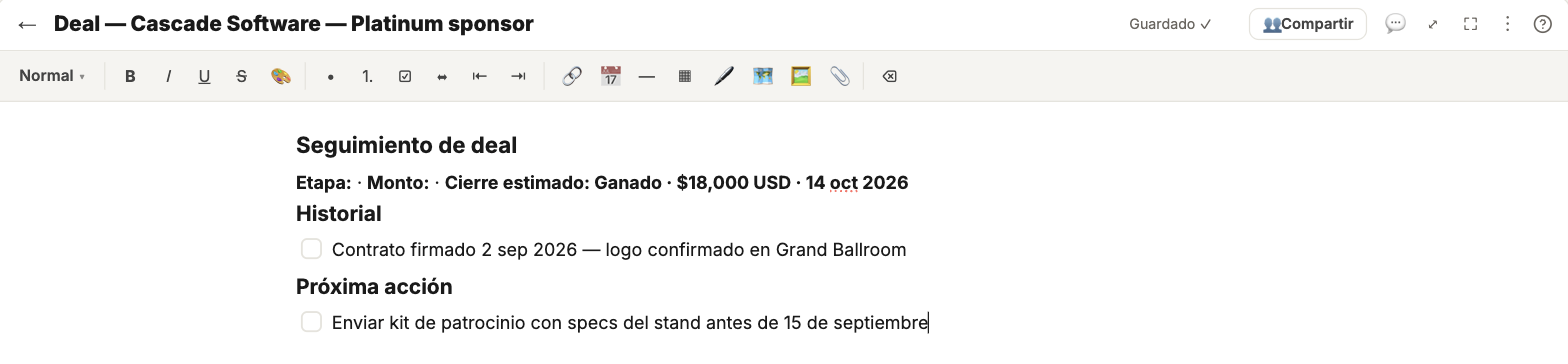
Real templates, not a blank page
Meeting minutes, speaker brief, deal follow-up, logistics checklist — pick a real template instead of starting from scratch. Block editor with @mentions to contacts and events, magic dates that turn into reminders, and attachments directly on the note's thread.
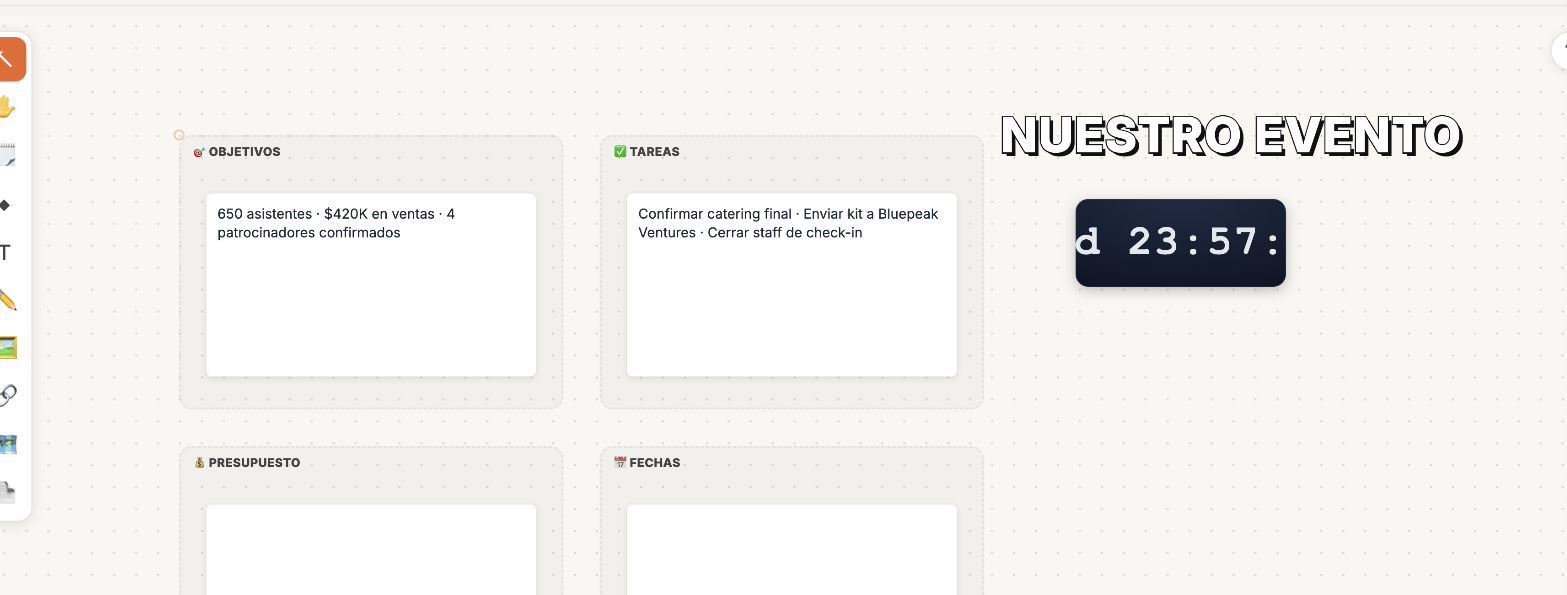
A real-time canvas for your whole team
Aluna Canvas is a Miro-style collaborative board, with Brainstorm, Kanban and Event Plan templates (objectives, tasks, budget and a live countdown to the event date). Several people edit the same board at once — live cursors, global undo/redo.
About the organizers module
Can the Grid be exported?
Yes, to CSV to print or share, and each session automatically detects schedule or room conflicts before they become a problem on event day.
Is the Contacts CRM only for attendees?
No — it's a single relationship graph for speakers, sponsors, vendors and attendees, with semantic search and location maps, not a flat list.
Do Boards work in real time with my team?
Yes — several people edit the same board at once, with live cursors, like a shared document.